

Ajourne

Overview: Ajourne is a travel planning feature that uses artificial intelligence to generate personalized trip itineraries based on user input vast social media database of reviews and recommendations. It helps users quickly create day-by-day plans for destinations, incorporating user preferences and insights from millions of traveler reviews.
Role: UX Researcher, UX/UI Designer
Toolkit: Optimal Workshop, Miro, Figma, Adobe CC, Figma Make, Claude, and UserZoom
UX Research
Overview
• Background
Ajourne uses OpenAI’s generative AI to create personalized day-by-day travel plans based on destination, travel companions, and interests—drawing insights from over a billion traveler reviews:
- AI-Powered Itinerary Generator
- AI Trip Builder (“Trips” Module)
- AI-Enhanced Hotel Review Summaries
*our hypothesis...
We believe that by integrating generative AI to personalize trip planning, summarize reviews, and streamline discovery, Ajourne can significantly improve user engagement, decision-making speed, and revenue per user—while maintaining trust through transparency and authentic user content.
• Research Goals
if hypothesis is true
The business believes if we identify what travelers need most when planning trips (e.g., personalized itineraries, fast decision-making, trustworthy reviews, we can increase longer engagements and higher booking rates.
• Methodologies
Competitive Analysis
User Interviews
Competitive Analysis
Click to enlarge
User Interviews
• Overview
We conducted 21 one-on=one user interviews to explore their needs, behaviors, and perceptions around AI-powered travel planning tools. The goal is to understand how users currently plan trips, their reactions to AI-generated content (like itineraries or review summaries), and what influences their trust and decision-making.
• Affinity Mapping:
Click to enlarge
Research Findings
Users want control over AI recommendations
Travelers appreciated personalized itineraries
Trust increases when AI results are transparent
Participants felt more confident with AI
AI saves time but needs context
Users found AI tools helpful for saving research time
Review summaries help quick decision-making
Users liked review highlights
Persona #1
Holly Davidson
37y/o Retail Buyer - Solo Traveler

FREQUENTLY-USED APPS

Bio
A solo traveler, independent, self-guided explorer who uses Ajourne to discover destinations, plan personalized itineraries, and find safe, well-reviewed places to stay, eat, and visit. They value flexibility, authenticity, and insider tips from fellow travelers. AI-generated recommendations help them make quick decisions, especially when planning last-minute or navigating unfamiliar locations alone. Trust, safety, and meaningful experiences are top priorities in their travel planning process.
Goals
• Aim to discover safe, authentic, and engaging travel experiences while planning efficiently and independently
• Discover New and Unique Destinations
• Plan Efficient, Flexible Itineraries
• Connect with Local Culture and Experiences
Frustrations
• Lack of Solo-Specific Recommendations
• Overwhelming Amount of Information
• Limited or vague details about neighborhood safety, transportation risks, or solo-friendly environments make planning stressful
Persona #2
Melissa Reyes
41y/o - School Teacher - Family Traveller

FREQUENTLY-USED APPS

Bio
Melissa Reyes is a 41-year-old elementary school teacher from Austin, Texas. As a mother of two young children (ages 6 and 9), she takes the lead in planning family vacations that are fun, safe, and educational. Melissa travels twice a year—one major summer trip and a shorter school break getaway—carefully balancing budget and comfort.
Melissa values trusted reviews from other parents and wants AI-generated suggestions that blend practicality with memorable moments for the whole family.
Goals
• Plan safe, educational, and engaging vacations for the entire family
• Save time by using AI tools to build an itinerary that balances kids' needs with adult interests
• Discover family-friendly accommodations, dining, and activities
• Avoid overpacked schedules while still making the most of their trip
Frustrations
• AI or trip planners that don’t account for kids’ limitations (attention span, meal times, nap schedules)
• Overly complex planning tools with too many steps or hidden features
• Difficulty finding trustworthy, family-specific reviews
• Lack of clear filters for age-appropriate activities
UX Design
Prioritization
• Project Goals
Leverage AI to automatically generate personalized itineraries based on user preferences, travel party, trip duration, and interests
Reduce the time and effort required for users to plan a full trip from scratch
Adapt AI output to reflect user profiles, such as families, solo travelers, or couples
Click to enlarge
• Features Roadmap
Ajourne is focused on evolving the platform from a review-centric site into a personalized, intelligent trip planning assistant. The roadmap is structured around four key phases:
AI Itinerary Generation (MVP)
Personalization Layer
Interactivity & Customization
Booking & Integration
Click to enlarge
Information Architecture
I’ve built a sitemap structured around helping users
discover, plan, and book travel efficiently through AI-enhanced navigation and content hierarchy.
Click to enlarge
User Flows
I’ve immediately identified my two user flows:
• Entry point to search
• Browse destinations
• Access AI trip planner
• Categorized by hotels, things to do, restaurants, and forums
• Review Exterior/Interior Notes
• Overviews with top-rated places
• Central AI feature where users input preferences
• Personalized space for managing itineraries
*Ideally, the push-to-video user flow presented challenges when handling high-definition video files due to the substantial storage and bandwidth requirements, which can become costly. To address this, I explored a process workflow involving compression (encoding) and decompression (decoding) techniques to optimize playback efficiency.
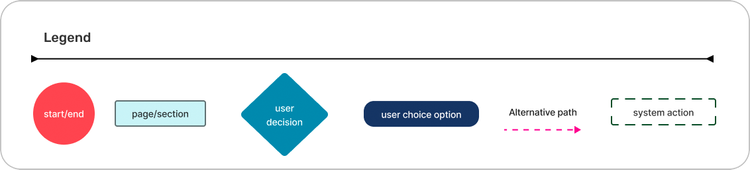
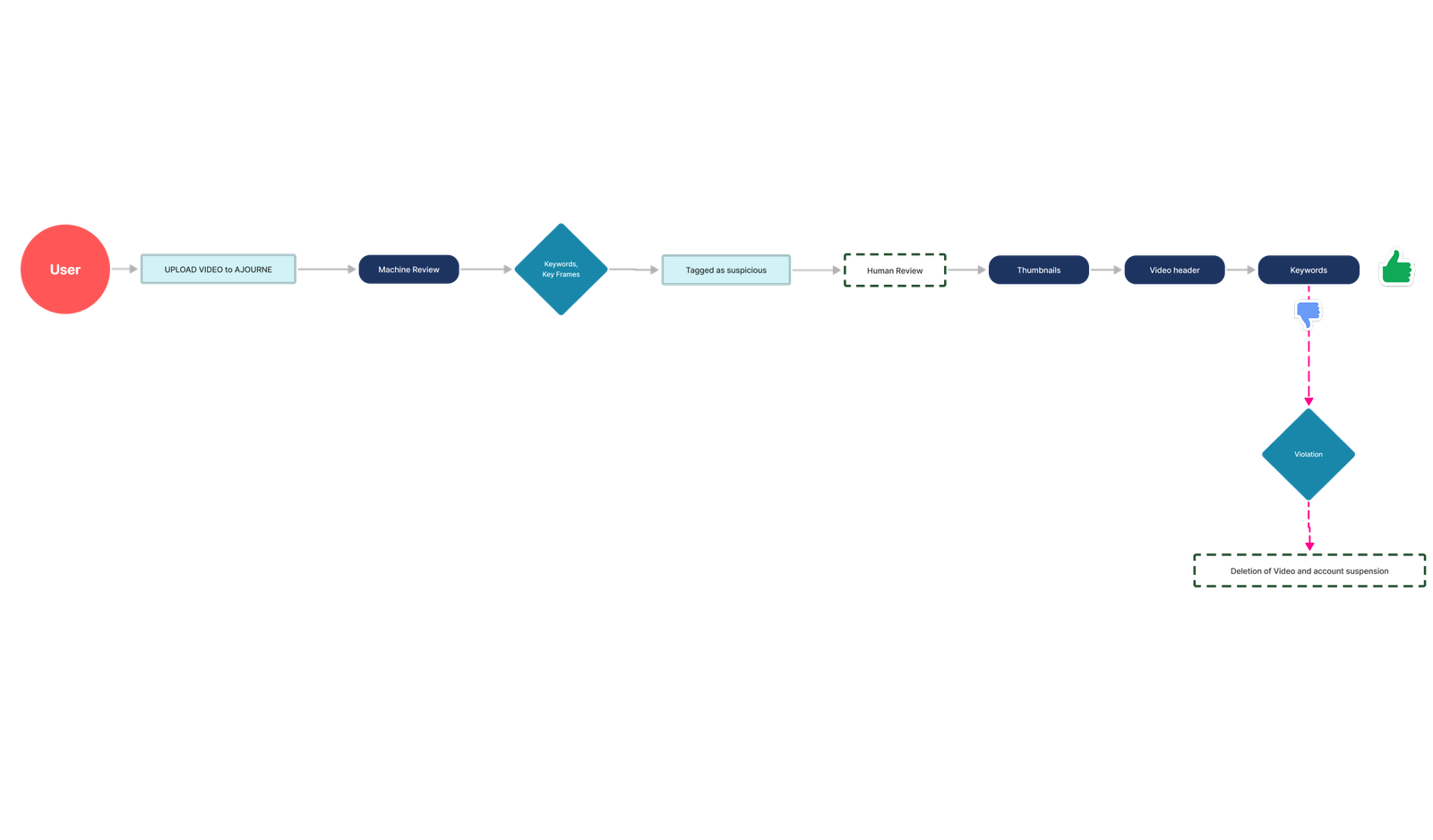
Task Flows
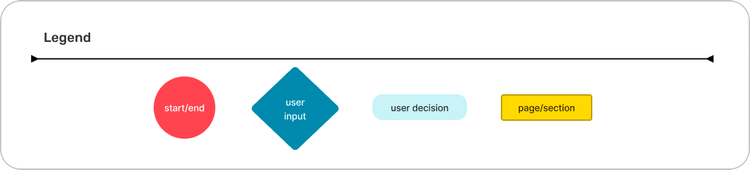
After designing user flows, it was quite straightforward to build up task flows. What I did was to expand in depth and explore users actions even further:
• Use step-by-step interactions users take to achieve specific travel planning goals using AI-powered features
• The AI streamlines decision-making by learning user behavior and offering tailored insights throughout the journey
#1 Specific travel planning goals using AI-powered features
Click to enlarge
#2 User behavior and offering tailored insights throughout the journey
Click to enlarge
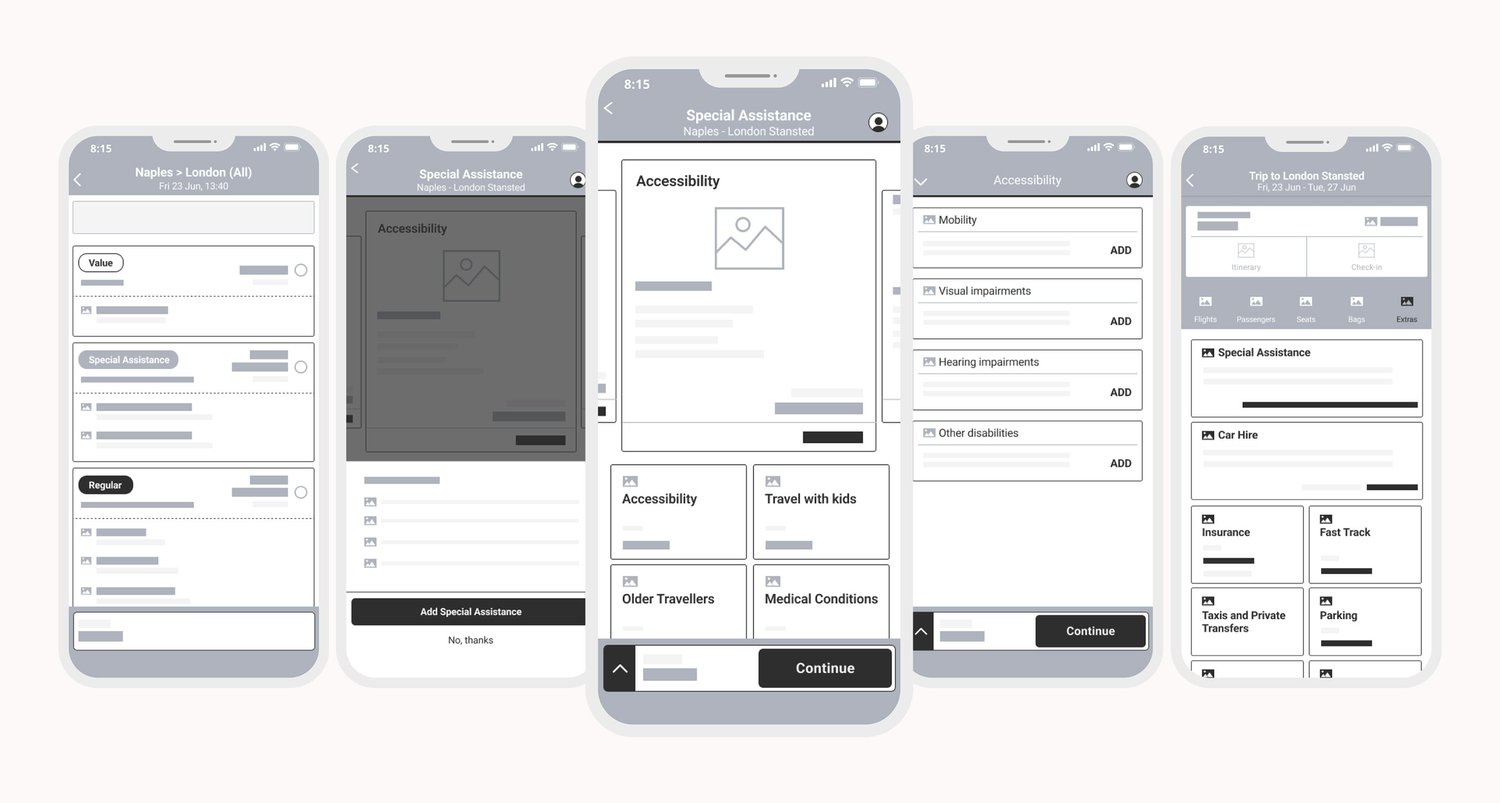
Wireframes
For the initial flow, I implemented a social network feature that enables users to connect with fellow travelers and explore shared experiences. These user-generated posts help optimize the alignment between travel options and individual preferences , allowing the AI to generate a personalized itinerary based on relevant insights.
The second flow centered on enhancing the third-party booking experience, ensuring a seamless transition from itinerary confirmation to reservation completion.
UI Design
Brand Identity
First of all, I’ve explored potential naming solutions and marks for my logo. Eventually, I’ve decided to go for the sphinx, symbol of great intelligence and wisdom in the ancient Egypt. The name Knowlex contains the words knowledge and exchange.
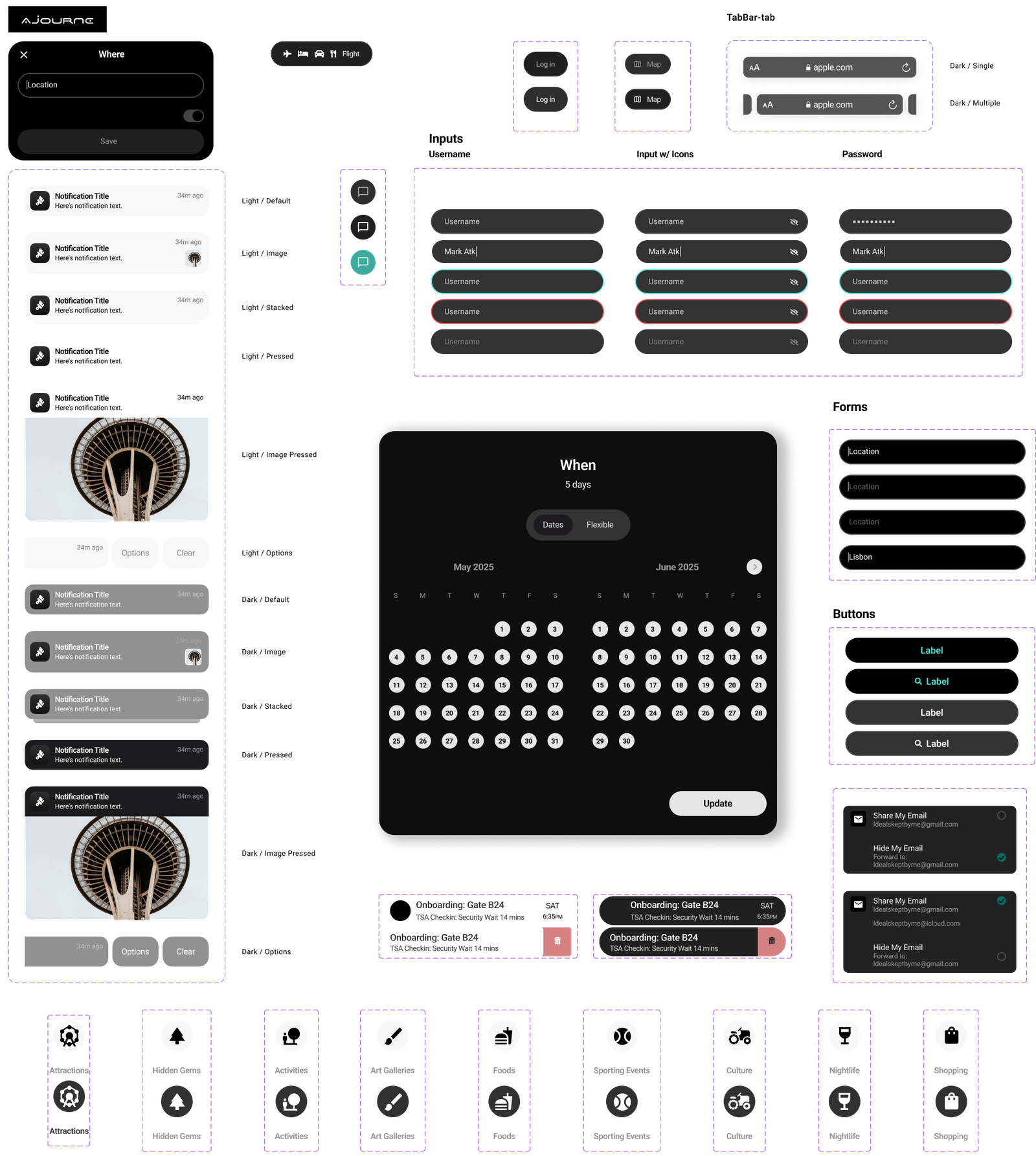
UI Library Components
I’ve created a colour palette with 1 primary, 2 secondary and 3 neutral colours. The choice for typography has fallen on Mulish, a sans-serif font with a decent x-height for legibility.
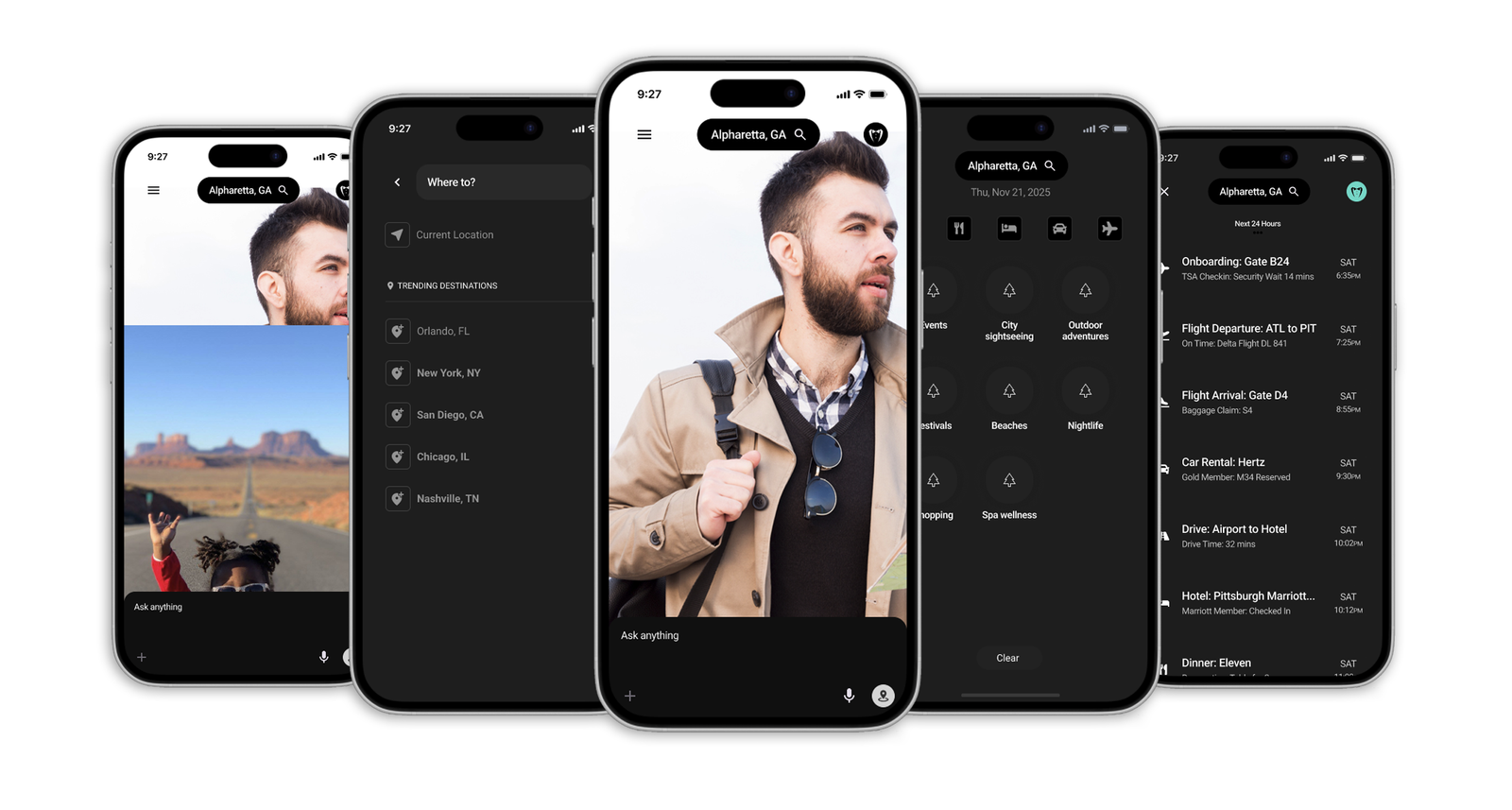
With those elements added to my low fidelity wireframes, I made my way into high-fidelity wireframes.
High-fidelity key-screens
Usability Test
Prototype
I’ve mainly worked with components and variants throughout the entire project. For that reason, it was quite straightforward to build up the prototype.
In order to keep the flow nice and neat, I’ve mainly used the same mild transition effect for every screen except for Intro and Get started transitions, where I went for a more bouncy effect to give the idea that something new is about to start.
Additionally, I’ve built a loading animation to make the prototype experience more realistic
Outcome
Overall, usability test was quite satisfying. The general flow and callouts of damages proved to be viable. I made a few changes that aimed at facilitating the flow even more.
Click to enlarge
Iterations
• To improve Create an account experience, I’ve added an activation message: a dedicated overlay with validation code to input
Click to enlarge
• To improve Application form flow, I’ve created a loading animation and a supplementary message that states the successful upload.
Click to enlarge
• To improve Checkout experience, I’ve differentiated info about Your credit and Value of lesson in terms of colours. I’ve also added Remaining Balance details
Click to enlarge
Test Project Prototype
Key Takeaways
• Challenge
- Many users were hesitant to trust fully automated itineraries
- Lack of manual editing options led to frustration and drop-off
- Difficulty accounting for traveler type (e.g. family vs. solo), trip pace, and context (weather, local events)
- Users didn’t always realize AI planning features existed or how to access them
• Lesson learned
- The most effective AI acts as a co-pilot, not a decision-maker
- Users respond better to AI that offers suggestions with clear rationale and flexible editing
- Designing different flows for traveler types (e.g., families, couples, adventure seekers) significantly improves satisfaction
- Small UX moments—like drag-and-drop itinerary blocks or "Why this place?" tags—build trust and usability